Owned product
What you can spend, without putting what comes next at risk.
An iPhone and macOS app that shows how much you can safely spend.
The images come from a synthetic demonstration scenario and contain no real data. We make no claim about store availability.
The problem
The current balance does not answer the real question.
Rent, utilities and insurance fall on different dates, and income is not always certain. A single number from the account can look bigger than it is in practice.
What we built
A safe amount, explained.
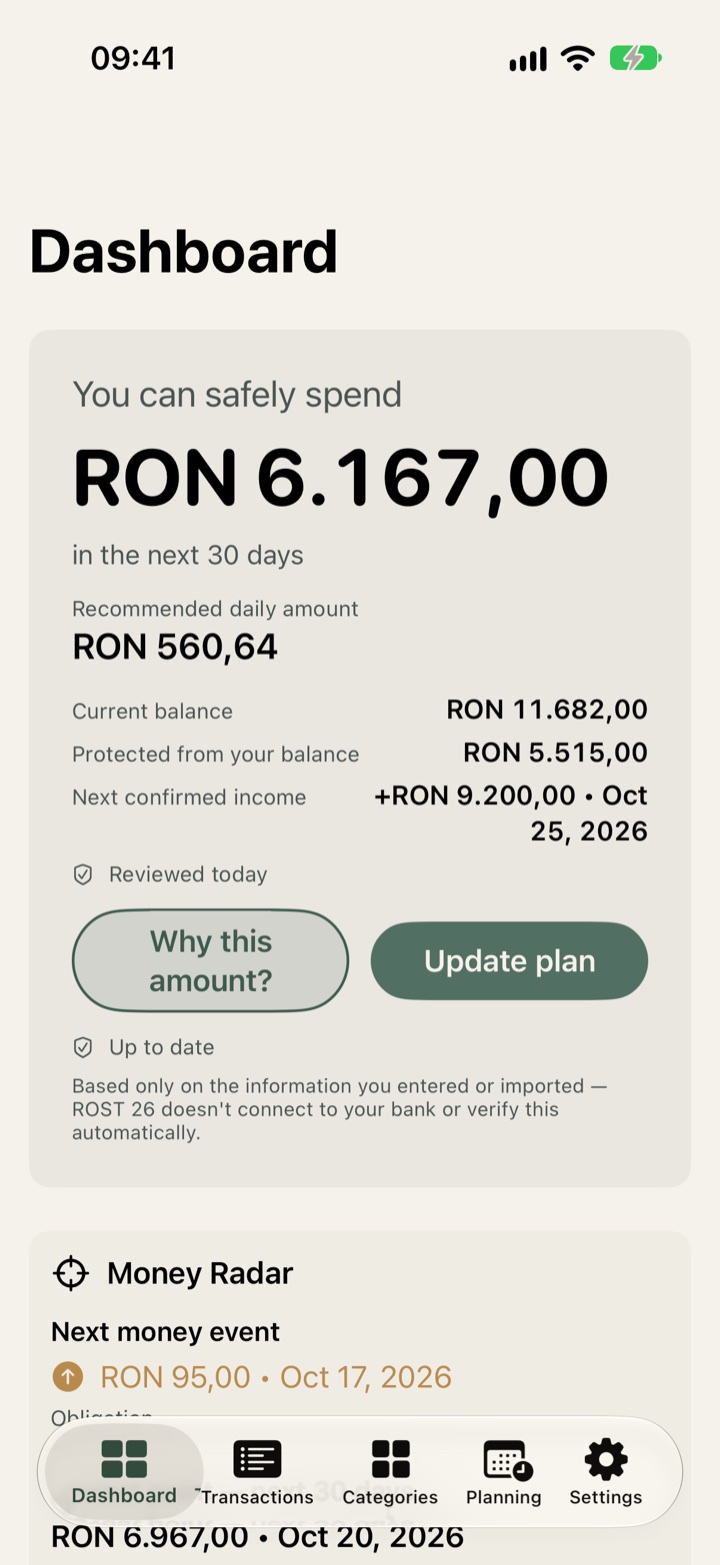
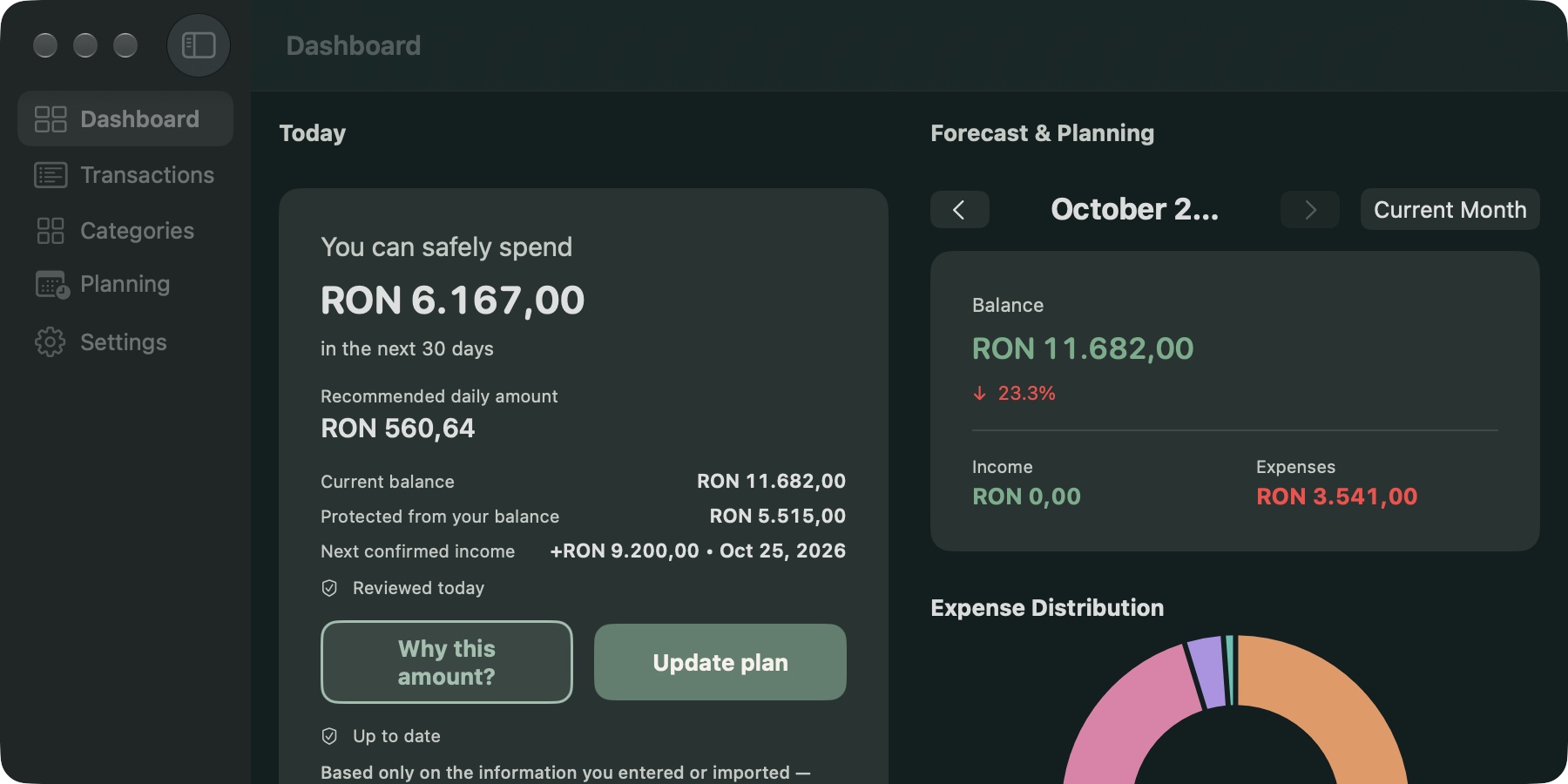
ROST 26 starts from the current balance, subtracts planned obligations and protected funds, counts only confirmed income, and shows the result as a safe amount for 30 days plus a daily limit. The app does not connect to a bank: it relies only on what the user has entered.
Outcome
Delivered, not promised.
A complete iPhone and macOS product in two languages, with its own safe-amount calculation, forecast and planning. We report no users, revenue or store availability.
Capabilities
What this project shows about how we work.
Custom Apps
An app built around one clear rule of calculation: entered data, explicit rules, an explained result.
Custom Apps
The experience
Every figure shows where it came from.
The interface answers the question first, then explains where the answer comes from.
- 01
The safe amount, first
The dashboard opens with the safe amount, the recommended daily limit, the balance and the protected funds.
- 02
A 30-day forecast
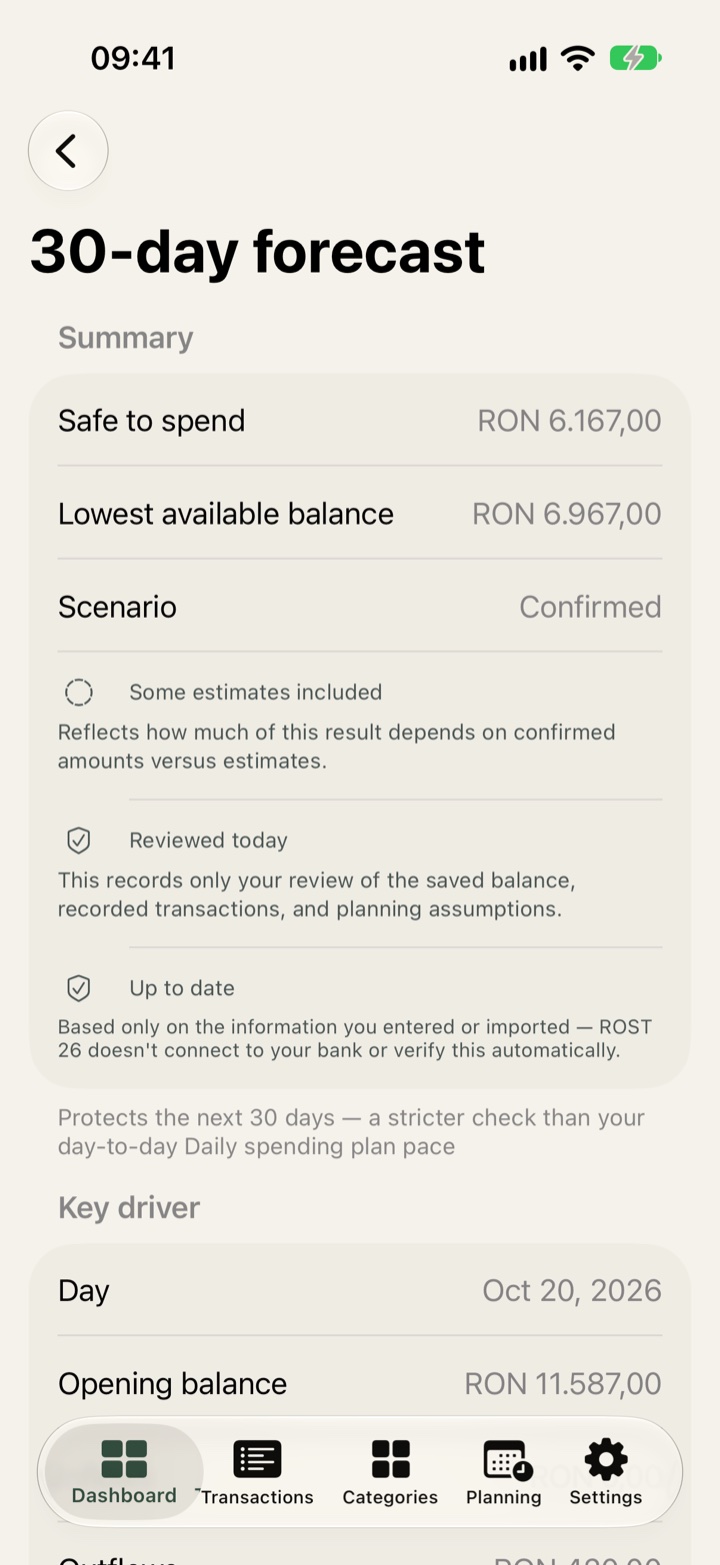
A separate screen summarises the scenario, the lowest available balance and the day that sets it.
- 03
Planning
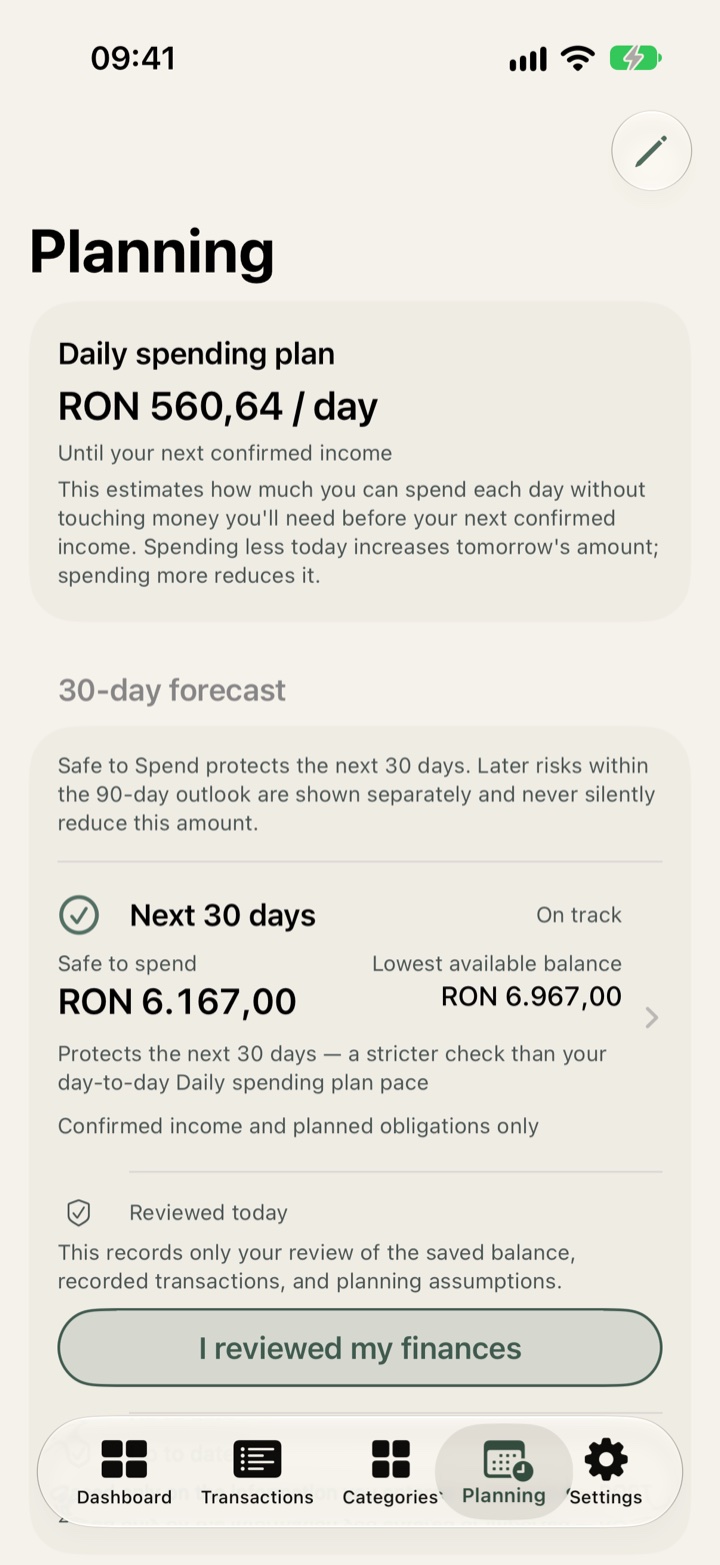
The daily plan, the planning profile and the safety reserve sit in one place, with the status of each income.
- 04
Income and obligations
Income is confirmed one occurrence at a time, and recurring obligations show their due date and status.
- 05
Protected funds
Money set aside for a purpose is excluded from the safe amount and stays visible.
The safe amount 30-day forecast The daily plan 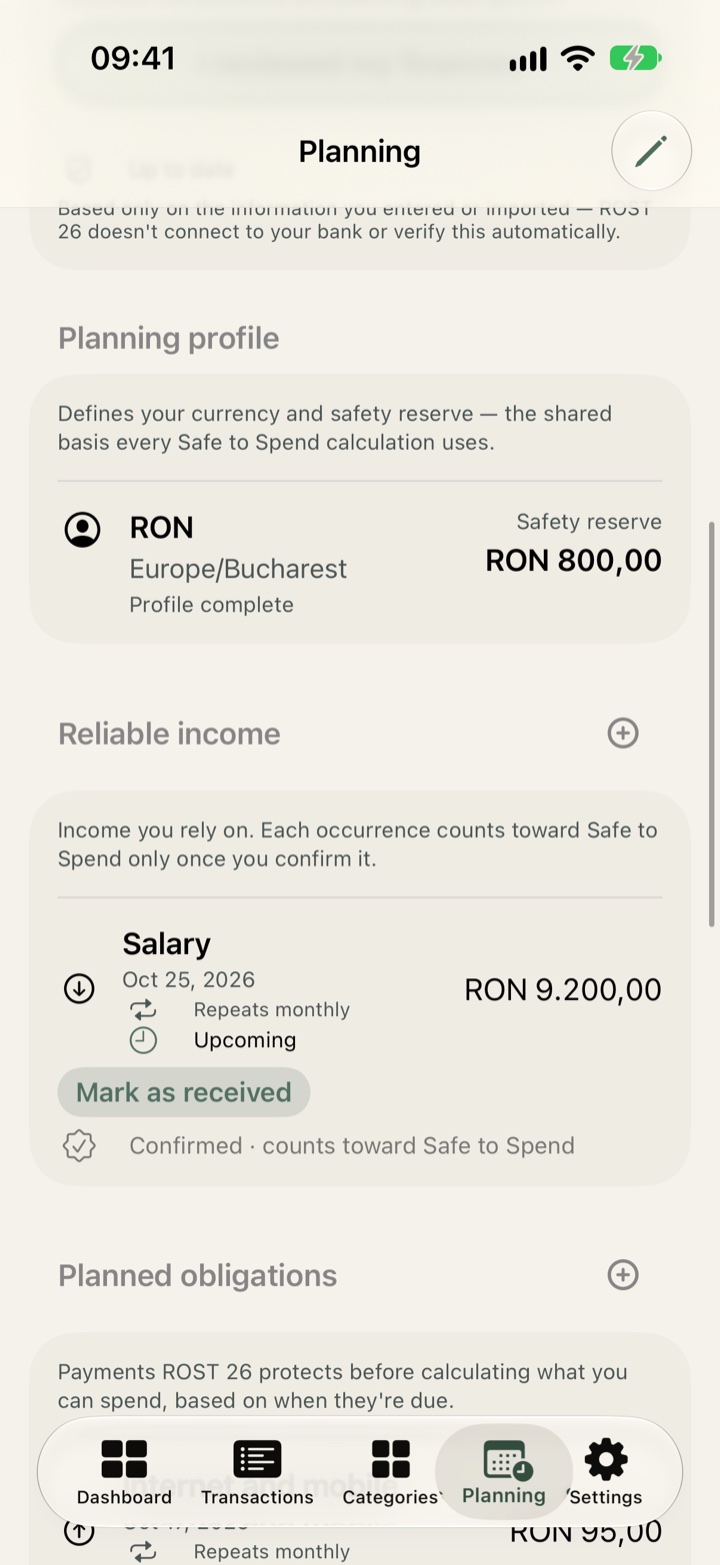
Income and obligations 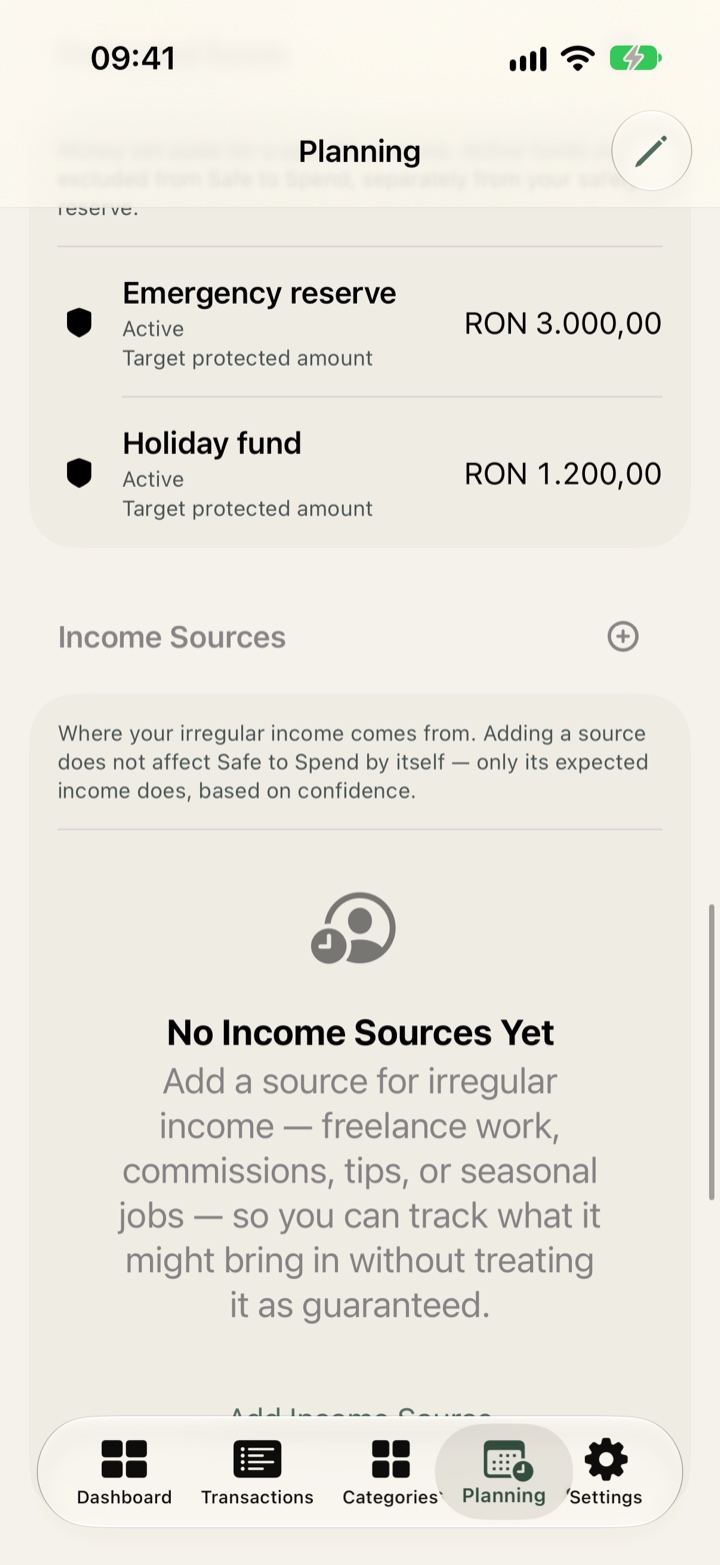
Protected funds
macOS
Engineering and evidence
What we can stand behind, and what it rests on.
Each statement below matches a source checked in the project. What was not measured is not claimed.
Product interface
The interface in the images is the app’s real one, running a synthetic scenario: no screen was made specially for presentation.
Specification
Financial data stays on the user’s device by default, and the app does not connect to banks.
Platform
An iPhone and macOS app, with version 26.0 of the operating systems as the minimum target.
Architecture
The images come from a development-only demonstration mode: in-memory storage, a fixed clock and fictional data, with no access to real data.
Product interface
The interface exists in Romanian and English, and the images in both languages come from the same scenario.
Next project
DentiJoy
An app for paediatric dental practices, on iPhone and macOS.
Next step
Have a problem that deserves to be understood before it is estimated?
We begin with the real situation, not with a feature list.
Get started